
Shop Samsung
Samsung Electronics Co. LtdShopping
4.729.47K Reviews
- Version
- 4.0.10
- Installs
- 10.00M
- Age Rating
- Everyone
Screenshots

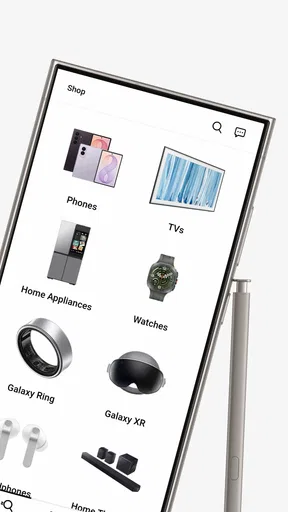
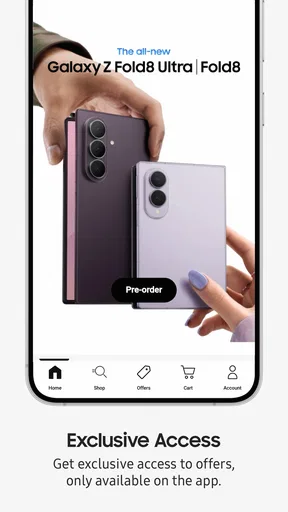
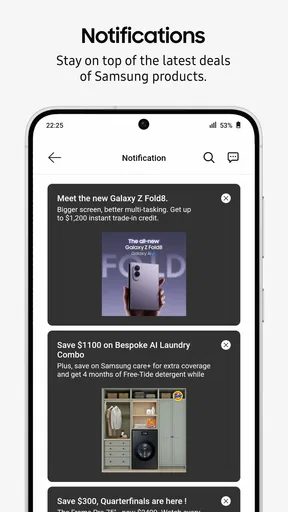
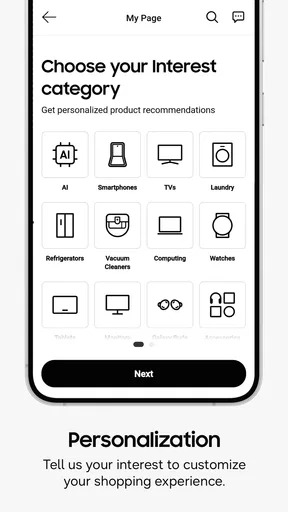
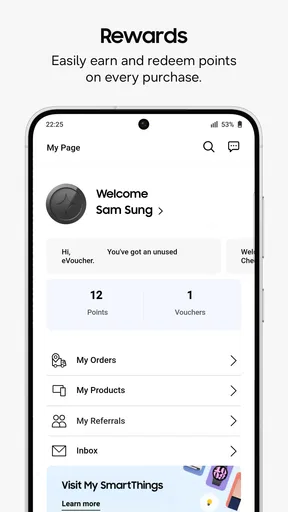
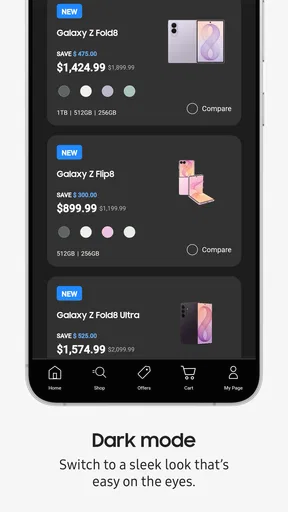
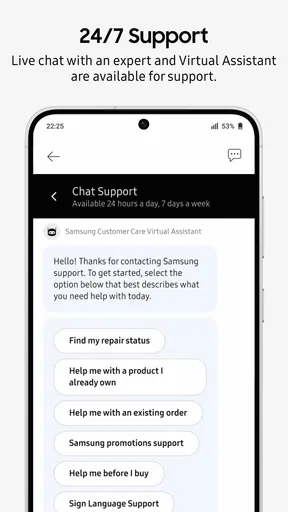
Our Review of Shop Samsung
 Analysis by Appyee
Shopping for a phone, tablet, television, or another Samsung product feels different from browsing a general marketplace. You are not comparing dozens of unrelated brands; you are looking at products from the manufacturer itself. That is the space Shop Samsung occupies, and after spending time with it, I see its main value as a more focused buying route rather than a universal shopping replacement.
Shop Samsung is a free shopping app from Samsung Electronics Co. Ltd for Android and iOS. It is rated for Everyone, and its straightforward purpose is to let people browse and buy Samsung products from a Samsung-branded environment. The app has been available since November 17, 2016, and its current version is 4.0.8, requiring at least Android 10 where Android compatibility applies.
Its public reception is strong: the app holds a 4.7 average from around 108 thousand ratings, with roughly 29 thousand written reviews, and it has passed 10 million installs. Those figures suggest that it has become a familiar shopping tool for a large Samsung audience, although popularity alone does not remove the need to check the details of a purchase before paying.
What trust looks like when shopping through Samsung
The first thing I noticed is that the app’s trust question is fairly specific. You are not mainly asking whether an unknown marketplace seller is legitimate; you are deciding whether you are comfortable using Samsung’s own shopping channel for a Samsung purchase. That distinction matters because the catalog, branding, and buying journey are designed around one manufacturer rather than a mixed group of independent sellers.
For me, that focus makes product research easier. If I am already considering a Galaxy device or a Samsung home product, I do not have to filter out unrelated brands or wonder whether two listings come from different merchants. The trade-off is just as clear: this is not the place to compare every available brand, and it is not automatically the best route for finding the lowest price across the entire market.
I would therefore treat the app as a manufacturer storefront first and a general shopping tool second. That is useful when I care about seeing Samsung’s own presentation of a product, but less useful when my priority is broad price comparison. A retailer marketplace may show more competing offers, while a price-comparison tool may make it easier to see whether a Samsung item is cheaper elsewhere.
The app’s free price also lowers the barrier to trying it. There is no separate purchase cost simply to install the shopping application. That does not mean the products themselves are inexpensive, of course, so I still recommend treating the final checkout screen as the important point of review: confirm the selected model, storage or size where relevant, delivery information, and the total shown before completing an order.
Why the focused catalog can be genuinely helpful
One practical strength is reduced decision noise. When I shop for a Samsung product through a general retailer, the same product family may appear beside older models, accessories from other manufacturers, refurbished stock, or listings with slightly different descriptions. A Samsung-focused app can make the initial browsing stage more coherent because the product context stays within the brand.
That is especially useful for someone replacing an existing Samsung device. Instead of beginning with a blank search box, I can use the manufacturer’s own catalog as a starting point, compare the current options, and then decide whether the upgrade is worthwhile. I still want an independent price check afterward, but the app can be the cleaner first step.
Another less obvious benefit is reducing model-name confusion. Samsung product names often contain several letters, numbers, and size or capacity variations. On a broad marketplace, it is easy to click the wrong version after searching quickly. A focused storefront does not eliminate that risk, but it gives me a more controlled place to inspect the product before I move to checkout.
My advice is to slow down at the point where similar products appear together. Read the full product title rather than relying on the picture, and do not assume that two items with nearly identical names have the same specifications. This is a small habit, but it matters more than the convenience of adding something to the basket quickly.
Where the usual alternatives still win
A general retailer remains better when I want to compare Samsung directly with Apple, Google, Sony, LG, or another competing brand. It is also more convenient when I am building one order that includes products from several manufacturers. Shop Samsung is intentionally narrower, so its usefulness depends on whether I have already chosen the brand.
Local stores can also be preferable when I want to see a television in person, handle a phone, check a laptop keyboard, or ask a salesperson a question before buying. An app is efficient for browsing, but it cannot replace the physical reassurance of examining a product yourself. For expensive purchases, that difference can outweigh the convenience of a dedicated digital storefront.
I also would not use this app as my only source for independent advice. A manufacturer’s shopping environment is naturally focused on selling its own products. I can learn what Samsung offers, but I should still consult neutral reviews and compare specifications when the choice involves a large amount of money or a long expected ownership period.
Controls, account choices, and careful browsing
Trust is not only about who sells the product. It is also about how clearly the app lets me understand what I am doing at each stage. In a shopping application, the most important user controls are practical ones: choosing an item, changing its configuration, reviewing the basket, entering delivery details, and deciding whether to continue to payment.
I prefer to think of those as separate decisions rather than one continuous tap sequence. Browsing does not have to become buying. I can use the app to inspect Samsung’s range, note a product that interests me, and then leave while I compare alternatives. That separation gives me more control and reduces the chance of an impulsive purchase caused by moving too quickly from a product page to checkout.
Account use is another moment where I would pay attention. If the app asks me to sign in, I would consider whether I need an account for the task I am trying to complete or whether I am only browsing. I would also review any visible account settings and communication choices instead of accepting every option automatically. The important point is to make deliberate choices from the controls shown on the device, not to assume that every setting has the same purpose.
I cannot recommend a privacy decision based on assumptions about permissions or data handling. Those details can vary by platform and app version, so I would inspect the permission prompts, privacy information, and account screens presented during my own installation and use. If a request appears unrelated to browsing or purchasing, I would pause and decide whether granting it is necessary for my intended task.
Moments when data deserves extra attention
Shopping apps naturally bring sensitive moments into one place. Delivery information, contact details, order history, and payment-related steps deserve more attention than casual product browsing. My own rule is simple: I avoid entering information until I have confirmed that I am on the correct product and checkout path, and I review the final order summary before submitting anything.
I would also avoid using a shared device for a purchase unless I can properly sign out afterward. A shopping session can expose more than the product being viewed, particularly if account details or delivery information remain available on the device. This is not a criticism unique to Shop Samsung; it is a sensible precaution for any shopping app that handles personal order information.
Notifications are worth handling thoughtfully too. A delivery update can be useful, but promotional messages may not be equally valuable to everyone. If the app presents communication choices, I would select only what I want to receive. Someone who shops rarely may prefer essential order information without a constant stream of offers, while a frequent Samsung buyer may find product alerts useful.
One concrete workflow I recommend is to separate research from checkout. First, browse the product and record the exact model or configuration. Next, compare the same item with at least one independent retailer and read neutral coverage. Only then return to Shop Samsung to check the current purchase path. This approach uses the app’s manufacturer-focused catalog without allowing the catalog itself to become the only source influencing the decision.
A realistic everyday buying scenario
Imagine that my television has started showing signs of age and I am considering a Samsung replacement. I would open the app to understand the available range, narrow my attention to the screen size and features that fit my room, and inspect the relevant product pages. I would not immediately assume that the newest or most expensive option is the right one.
After identifying a suitable model, I would write down the exact name and configuration, then check independent reviews for picture quality, software behavior, connectivity, and long-term ownership concerns. I would compare the price with a conventional retailer and consider whether local pickup or in-person viewing matters to me. If the Samsung app still offers the most comfortable buying route, I would return to it and carefully verify the basket.
At checkout, I would inspect the delivery details, the selected item, and the final amount. I would also check whether I am signed into the account I intend to use and whether the communication choices match my preference. This may sound slower than tapping through the first appealing listing, but it is exactly the kind of small process that protects user agency in a shopping app.
The same method works for a phone, tablet, monitor, or appliance. The app is most useful at the beginning and end of the process: first as a focused source for Samsung’s current product range, and later as a direct route if I have already decided what I want. It is less suitable as the sole research tool in the middle, where independent comparisons are more valuable.
Who should use it and who should look elsewhere
I would recommend Shop Samsung to someone who already prefers Samsung and wants a direct, brand-focused way to explore its products. It is also a sensible choice for people who dislike sorting through mixed marketplace listings and want to begin with the manufacturer’s own presentation. The Everyone age rating makes it broadly accessible, although any purchase still requires normal adult judgment about spending and personal information.
It is a particularly good fit for an existing Samsung owner planning an upgrade. The focused catalog can help that person start with familiar product families instead of navigating a crowded marketplace. It may also suit households that want to browse Samsung products together on a phone or tablet before deciding which model deserves more research.
I would skip it as a primary shopping destination if I am undecided between brands, if I want the widest selection of sellers, or if my main goal is finding the cheapest available offer. In those cases, a general retailer, price-comparison service, or physical store may answer my needs better. Installing a dedicated brand app makes little sense if Samsung is only one of many possibilities I am considering.
I would also be cautious about using it as a substitute for support or independent technical advice. A store can help me locate and purchase a product, but buying through the manufacturer does not remove the need to understand compatibility, dimensions, connectivity, warranty expectations, or the practical differences between similar models.
My cautious verdict after using the shopping route
Shop Samsung succeeds because it keeps the shopping journey centered on Samsung products and removes much of the clutter found in broad marketplaces. Its free availability, established presence, and strong average rating make it an easy app to try, while the large install base shows that it is already familiar to many users. I appreciate the convenience, but I would not confuse convenience with complete buying guidance.
The best way to use it is deliberately: browse the focused catalog, identify the exact product, compare it independently, then return to review the basket and account choices with care. That workflow gives me the benefits of a manufacturer storefront while preserving the freedom to question the price, the model, and the purchase itself.
My final view is positive but measured. If you are already shopping for a Samsung product, this app is a practical starting point and a potentially convenient checkout channel. If you need broad brand comparison or the most aggressive market price, use another tool alongside it. The strongest reason to install it is focused access to Samsung shopping, not a promise that one app can replace every part of product research.
Privacy and Permissions
See what permissions an app requests and how it handles your data.
- Location
- approximate location (network-based), precise location (GPS and network-based)
- Camera
- take pictures and videos
- Microphone
- record audio
- Wi-Fi connection information
- view Wi-Fi connections
- Other
- view network connections, full network access, change your audio settings, run at startup, reorder running apps, control vibration, prevent device from sleeping
Verdict
Strengths of Shop Samsung
- Official access to Samsung products, accessories, and exclusive offers.
- Product pages include detailed specifications, images, and compatibility information.
- Samsung account integration makes checkout and order tracking convenient.
- Supports multiple payment and delivery options in many regions.
- Useful notifications for promotions, product launches, and order updates.
Limitations of Shop Samsung
- Prices may be higher than those offered by independent retailers.
- Availability, delivery times, and features vary significantly by country.
- Some items can sell out quickly during major launches or promotions.
- The app may promote Samsung services and products frequently.
- Returns and warranty procedures can differ depending on the purchase region.
Similar Picks in This Category
View All
SHEIN-Shopping Online
Roadget Business PTE. LTD.4.8

Amazon Shopping
Amazon Mobile LLC4.4


Mercado Libre: Compras online
Mercado Libre4.8

Wish: Shop and Save
Wish US Holdings LLC4.7

Alibaba.com - B2B marketplace
Alibaba Mobile4.4
Frequently Asked Questions
What is Shop Samsung, and what can I do with the app?
Shop Samsung is Samsung’s official shopping app for browsing and purchasing products such as Galaxy phones, tablets, watches, earbuds, televisions, appliances, accessories, and selected services. During testing, the app provided product specifications, images, pricing, promotions, trade-in information, and delivery details. Availability can vary by country, so the catalog, payment methods, financing, and offers shown may depend on your region.
Can I use Shop Samsung to buy Galaxy phones and other Samsung products?
Yes. Shop Samsung is designed to let users purchase many Samsung products directly from the company, including Galaxy smartphones, tablets, wearables, televisions, monitors, home appliances, and accessories. Product availability may change frequently, particularly for new releases or promotional items. Before ordering, check the selected model, storage capacity, color, carrier or unlocked status, warranty coverage, and estimated delivery date carefully.
Does Shop Samsung offer discounts, trade-ins, or financing options?
The app commonly highlights limited-time promotions, bundles, coupons, trade-in programs, student or member discounts, and installment or financing options where supported. However, eligibility and terms are not universal. Trade-in values can depend on the device model and condition, while financing may require approval from a third-party provider. Always review the final price, taxes, fees, and promotional conditions before completing checkout.
Is it safe to make purchases through Shop Samsung?
Shop Samsung is Samsung’s official retail application, so it is generally a safer option than purchasing from an unknown third-party seller. Orders are placed through Samsung’s shopping infrastructure, and the app may support recognized payment methods and account security features. Even so, users should download it from an official app store, verify the developer name, use a strong Samsung account password, and avoid sharing verification codes.
What should I know about shipping, returns, and customer support in Shop Samsung?
Shipping times, return windows, cancellation rules, repair options, and customer-support channels depend on the product and the country where the order is placed. The app normally provides order tracking and access to purchase information, but delivery estimates can change because of stock or carrier delays. Read the applicable return policy before buying, especially for opened electronics, customized products, trade-ins, and large appliances.
